


What is TallyPrime? How It Helps Businesses Manage Accounting and Finances


30-Second Summary
As your business grows, it can be difficult to manage accounts manually. Especially, when you must record transactions, track payments, manage expenses and prepare financial reports. This is where accounting software like TallyPrime can come to the rescue. In this blog, we will learn what is TallyPrime, how it helps in managing your accounting system, its main accounting features, and how it makes every day financial tasks easier and more organised.
What is Tally Prime?
TallyPrime is a business management software from Tally Solutions that assists businesses in managing their accounting and other day to day business activities. It let businesses record transactions, maintain books of accounts, create invoices, manage inventory, handle banking and handle taxation and create financial reports.
TallyPrime unifies many such activities instead of having different systems for different business activities. For example, when you record a sales transaction, you can update the accounting and related business information from the details you enter in the transaction.
This makes TallyPrime useful to business owners, accountants and professionals who need to maintain well-organised financial records and access business information on demand.
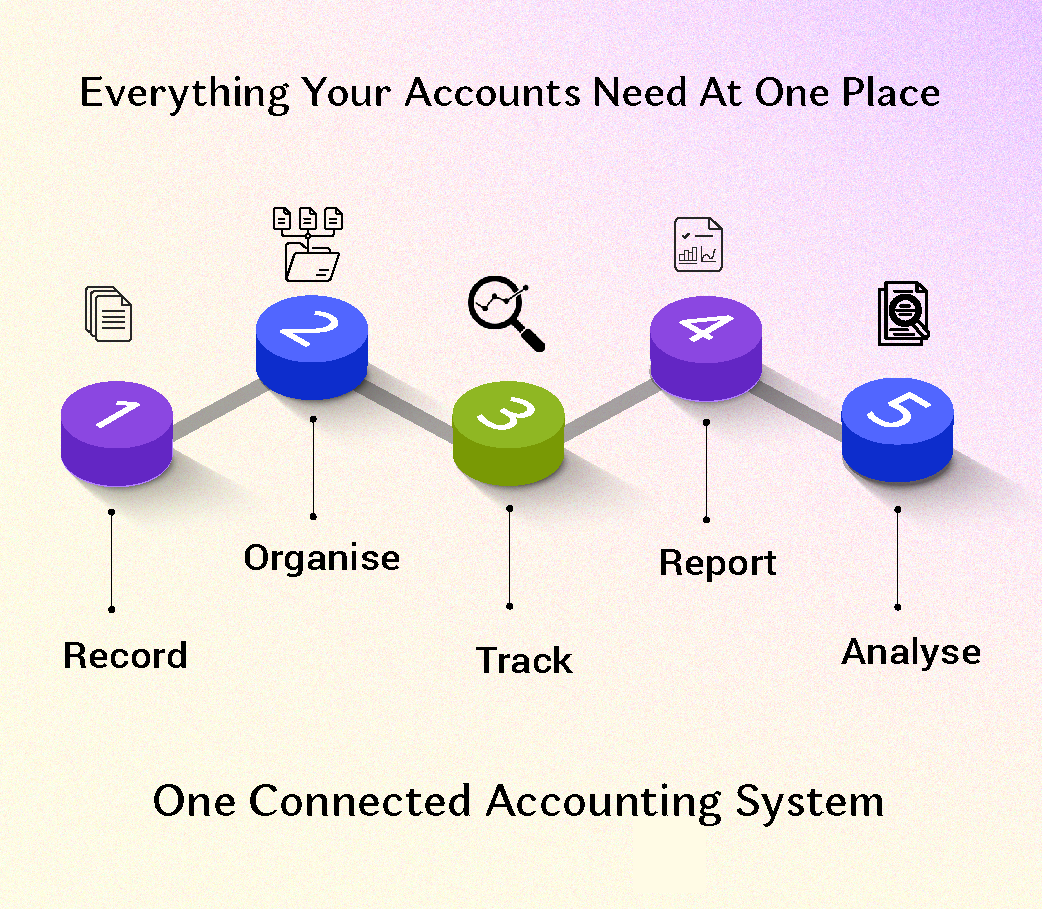
How to Manage Your Accounting System with TallyPrime
A good accounting system should make it easier to record the transactions, keep accurate books and understand the financial position of a business. With TallyPrime, businesses can record transactions, organise their books, track receivables and payables and many more.
1. Identify and record business transactions
Every business day is filled with sales, purchases, payments, receipts and expenses. Instead of managing each transaction on separate records, TallyPrime brings all your day-to-day accounting transactions into one well-organized system. Simply record the transaction in the corresponding Voucher in TallyPrime and link it to the relevant ledger.
For example, when you buy material on credit, you can record the purchase, select the supplier and enter the required details at the same time. This information is then added to your accounting records, helping you keep track of what you bought, who you need to pay and how the transaction affects your books.
Recording vouchers is a daily task, so keyboard shortcuts can save a lot of time. Read TallyPrime 49 Keyboard Shortcuts – Part 1 to enter transactions faster.
2. Books of Accounts to be maintained
Accounting is not just a matter of recording transactions. The information also needs to be organised into suitable accounts and reports. TallyPrime assists in maintaining accounting records using ledgers, groups, vouchers and Chart of Accounts. You can see reports such as Day Book, Trial Balance, Balance Sheet and Profit & Loss Account based on the transactions entered.
3. Create financial statements
One of the important benefits of using accounting software is the ability to access financial information in the form of reports.
TallyPrime gives you reports like:
• Balance Sheet – to understand the financial position of the business.
• Profit & Loss Account – to understand income, expenses and profitability.
• Trial Balance – to check the balances of ledger accounts.
• Cash Flow Statement – to know the movement of cash and cash equivalents.
• Receivables and Payables – to track amounts owed to and by parties.
• Cash and Bank Books – to check cash and bank transactions.
These reports turn your transaction data into usable information that can help you get a handle on how your business is doing.
4. Control of Receivables and Payables
Accounting involves keeping track of money to be received from customers and money to be paid to suppliers. The receivable and payable reports in TallyPrime help businesses maintain a track of the outstanding amounts. View outstanding balances by party and drill down into transactions to understand the details behind them.
For example, instead of going through multiple invoices one by one to see which customer owes you money, you can run the appropriate outstanding report.
5. Accounting and Inventory Linking
Accounting and inventory typically go hand in hand for businesses that deal in goods. TallyPrime allows businesses to manage accounting and inventory together as per their requirements. You can record transactions involving goods, maintain stock items, units, stock groups and godowns. TallyPrime can also import accounting and inventory data as per business configuration. When a business records a sale of goods, the transaction can capture the financial and inventory aspects of the sale.
6. Simplify GST and Other Compliance-Related Tasks
GST compliance becomes much easier when your accounting and tax-related information are connected. With TallyPrime, businesses can manage GST-related transactions, invoicing and reports alongside their accounting records. TallyPrime also supports businesses in their GST compliance activities with features such as generating e-Invoices and e-Way Bills and filing GSTR-1 from within the product, along with other compliance-related capabilities. This helps businesses manage their accounting and GST processes in one place, making it easier to keep their financial records and compliance requirements connected.
7. Conduct Banking & Reconciliation
Banking is essential for daily accounting. It helps you track your balances, record transactions, make payments and reconcile your books. With Connected Banking, businesses can link supported bank accounts with TallyPrime and view bank balances and statements right from the product. Businesses can also send online payments from TallyPrime and track their payment status as per the bank and enabled services. TallyPrime also supports e-Payments, which allows businesses to make bulk payments to suppliers through the supported banks and track the status of the transactions in a secure way. And for reconciliation, TallyPrime assists in matching the transactions recorded in books with those appearing in the bank statement. This makes it easier to spot transactions that haven’t been reconciled and keep the books in line with what’s in the bank records.
8. Get Business Reports in Real Time
Once the transactions are entered, TallyPrime generates reports on the data entered. This allows companies to access financial information on demand rather than having to wait until the end of an accounting period to manually prepare each report.
For example, you can view the Balance Sheet, Profit & Loss Account, Trial Balance, cash flow and outstanding reports for a selected period. Reports can also drill down to the transactions that make up the figures.
To move between reports and drill down faster, explore more commands in TallyPrime 113 Shortcut Keys | Part 2.
Few Features of TallyPrime and how it helps
| TallyPrime Features | How it helps |
|---|---|
| Accounting & Bookkeeping | Record and organise day-to-day business transactions |
| Ledgers & Groups | Classify transactions under appropriate accounts |
| Invoicing or recording vouchers | Create vouchers such as sales, purchases, payments, receipts, contra, journals etc. |
| Financial Reports | View Balance Sheet, P&L, Trial Balance and Cash Flow |
| Receivables & Payables | Track amounts due from customers and payable to suppliers |
| Inventory | Manage stock and connect inventory with accounting |
| GST & Taxation | Manage applicable tax-related transactions and reports |
| Banking | Record bank transactions and support reconciliation |
| Payroll | Manage employee-related payroll transactions |
Also, TallyPrime enables businesses to turn on features according to their requirements. For example, one business may only use the accounting features and not use the inventory features, while another business may need to use the accounting, inventory, taxation and payroll features all together.
Why Learn TallyPrime for Accounting?
It’s important to understand accounting concepts, but knowing how to apply them is what makes accounting skills more useful in the workplace. Here, learning TallyPrime can help students, freshers, accountants and business professionals to build practical accounting skills. TallyPrime lets you get hands-on with everyday accounting tasks like creating ledgers, recording vouchers, tracking outstanding payments, reconciling bank transactions and exploring financial reports.
Instead of just reading about accounting in theories, you get to see how common business transactions flow through the books and become meaningful financial information. This practical experience will help you better understand accounting processes and approach your daily work with more confidence.
If you want structured, hands-on training, you can explore the TallyPrime Course
Handle Accounting Better with TallyPrime
A well-organised accounting system can assist in recording transactions, keeping track of money, monitoring the performance of the business and preparing financial information. The key is to understand not only where to get into a transaction but how that transaction affects the books and the reports that come out of the books. Once you understand this, TallyPrime is not only an accounting tool but also a practical way to manage and understand your business accounts.
Frequently Asked Questions (FAQs)
Question 1: What is TallyPrime?
Answer: TallyPrime is used for accounting, invoicing, inventory, banking, taxation, payroll and business reporting depending on the business needs.
Question 2: Is Tally Prime usable for accounting and inventory?
Answer: Yes, TallyPrime helps businesses to manage accounting and inventory together as per the business needs, features and configurations.
Question 3: Does TallyPrime provide financial reports?
Answer: Yes. TallyPrime offers reports like Balance Sheet, Profit & Loss Account, Trial Balance, Cash Flow, Receivables and Payables and other accounting reports.
Question 4: Is TallyPrime helpful for accounting students and beginners?
Answer: Yes. Learning TallyPrime is a way for beginners to learn how accounting concepts are applied in recording real-world business transactions and generating financial reports.

Nita R
Nita is a content writer specialising in Accounting, Finance, GST, and Taxation. She creates easy-to-understand, research-driven content that simplifies complex financial and tax concepts for learners, professionals, and businesses. Her expertise lies in translating technical accounting and GST topics into practical insights, helping readers stay informed about tax compliance, financial processes, and industry best practices. Through her content, she aims to make accounting and taxation accessible, accurate, and relevant for today's evolving business environment.